

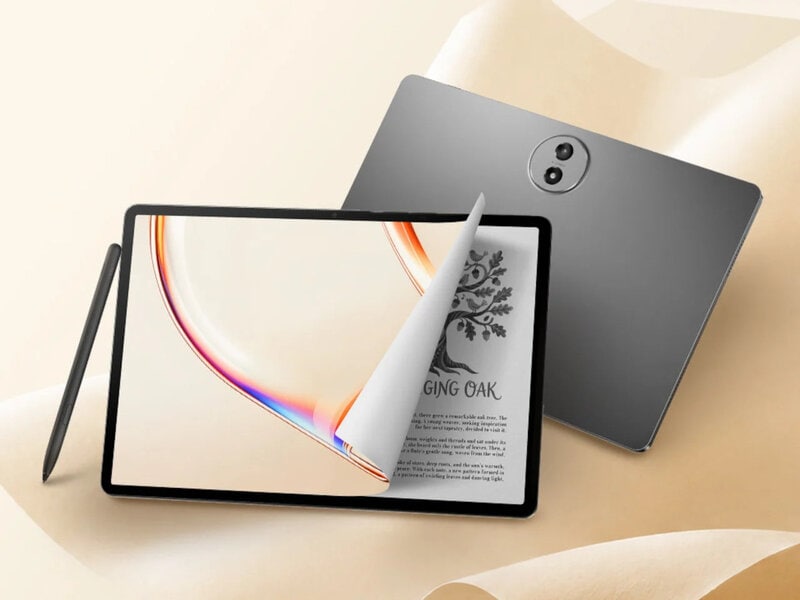
The TCL TAB A1 Plus NXTPAPER is a 12.2-inch tablet built around the company's fourth-generation NXTPAPER display technology. The 2.4K panel combines seven eye-comfort technologies, including Nano Crystal Shield Glass and the OmniSoft Light System, with a 3:2 aspect ratio and adaptive 120Hz refresh rate. A dedicated NXTPAPER Key switches between standard and paper-like display modes, while the VersaView feature allows selected apps to remain in full color as the rest of the interface adopts a reading-focused display.
Powered by a Snapdragon 4 Gen 2 processor, the tablet offers up to 16GB of RAM, 256GB of storage, and microSD expansion up to 2TB. Google Gemini, Circle to Search, Writing Assist, Smart Translator, and Smart Voice Memo are included alongside Android 16 productivity features such as Split Screen and Floating Windows. A 10,000mAh battery supports 33W fast charging, while the 6.7-millimeter metal unibody carries an IP54 rating. Priced at US$399.99, the tablet includes a stylus and flip case.
Image Credit: TCL
What Makes This Trend Stand Out
- Paper-like Displays
- Eye-comfort screen technologies are expanding tablet use cases for reading, note-taking, education, and long-duration productivity without the strain associated with conventional glossy panels.
- Mode-switching Interfaces
- Dedicated controls that shift between vivid media viewing and focused reading environments signal potential for devices that adapt visually to different work and wellness contexts.
- AI-enhanced Tablets
- Built-in assistants, translation tools, writing support, and voice memo features are turning mid-range tablets into accessible productivity hubs for mobile professionals and students.
Sectors Adopting This
- Consumer Electronics
- Display-led differentiation in affordable tablets is creating room for hardware brands to compete on comfort, versatility, and bundled accessories rather than raw performance alone.
- Education Technology
- Paper-like screens, stylus support, and multitasking software align with classroom and remote learning needs where readability, annotation, and content flexibility are increasingly important.
- Mobile Productivity
- Affordable tablets with AI tools, large batteries, and desktop-like windowing features are reshaping expectations for lightweight devices used in hybrid work and field operations.