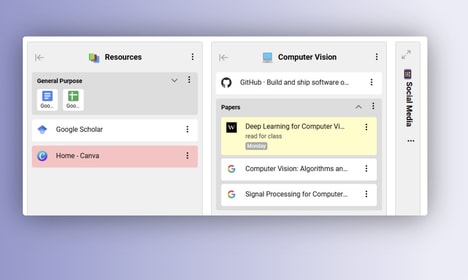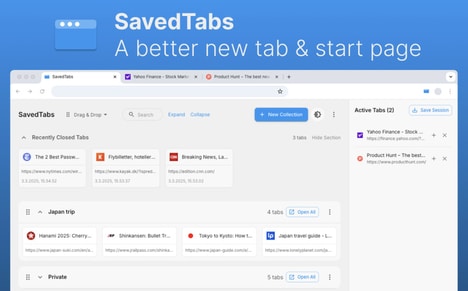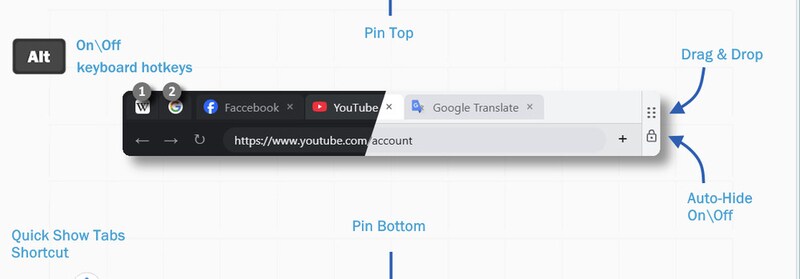
Full Screen Tabs is a browser tool that enables normal tab and window navigation while using Chrome in fullscreen mode. It allows users to switch between open tabs, tab groups, and browser windows without exiting fullscreen.
The extension is designed to make fullscreen browsing more practical for work, presentations, and media use. It keeps navigation accessible even when the browser UI is hidden, which is typically a limitation of fullscreen mode. Users can move between pages smoothly while staying in a distraction-free layout, which is useful for focused tasks or kiosk-style setups. This helps maintain productivity without constantly toggling display modes.
Full Screen Tabs is built for users who rely on fullscreen browsing but still need quick access to multiple pages. It adds basic navigation controls to a mode that usually removes them, making fullscreen browsing more flexible and easier to use.
Image Credit: Full Screen Tabs
What Makes This Trend Stand Out
- Full-screen Productivity
- Enabling full-featured navigation within fullscreen environments creates potential for productivity tools that maintain focus while exposing multi-document workflows.
- Context-preserving Navigation
- Browser controls that preserve tab and window context in hidden-UI modes open possibilities for interfaces that keep users oriented across complex information spaces.
- Distraction-free Multitasking
- Combining a minimal visual layout with seamless switching between pages suggests new models for balancing immersion and rapid task switching.
Sectors Adopting This
- Enterprise Software
- Corporate applications could be reimagined to support fullscreen dashboards that allow employees to navigate multiple reports and tools without losing immersion.
- Edtech and Remote Learning
- Online learning platforms stand to benefit from fullscreen navigation that keeps instructors and students within lesson flows while accessing supplementary resources.
- Digital Signage and Kiosk Systems
- Public-facing displays and kiosks may evolve to include multi-content navigation in fullscreen mode, improving information density and interactive experiences.