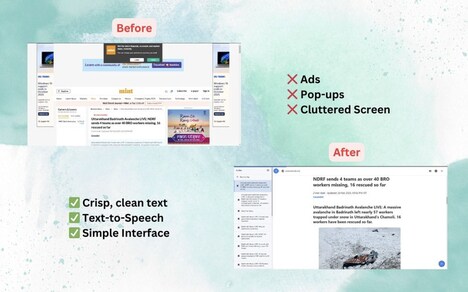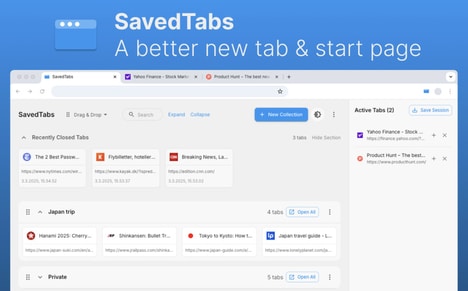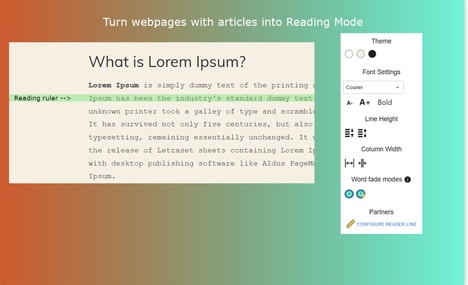
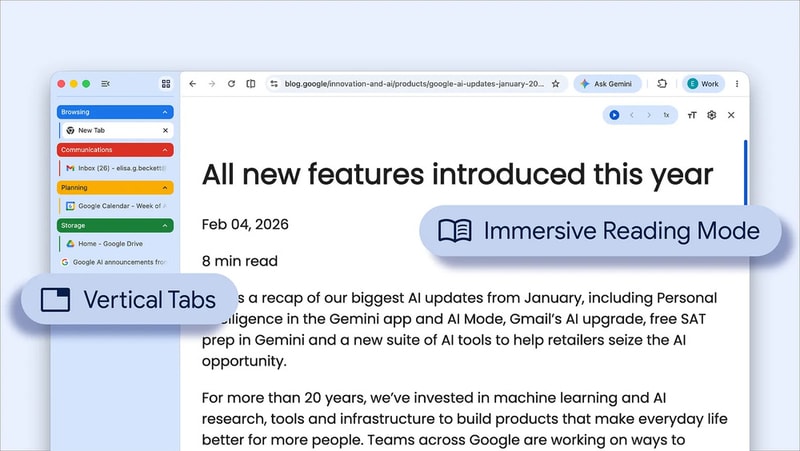
The rise of focus-optimized browsers is reflected in Google Chrome’s latest update, which introduces vertical tabs and an enhanced reading mode to improve digital productivity. By repositioning tabs along the side of the screen, users can more easily navigate high tab volumes while maintaining visibility of full page titles. The upgraded reading mode further supports distraction-free content consumption by simplifying cluttered web pages into clean, text-focused layouts.
This shift highlights how browsers are evolving into productivity-centered environments rather than passive browsing tools. For businesses, this signals an opportunity to design content that is easily digestible in stripped-back formats and adaptable across different interface views. It also reflects growing consumer demand for streamlined digital experiences, encouraging brands to prioritize clarity, usability, and focus-driven design in both web development and online engagement strategies.
Image Credit: Google
What Makes This Trend Stand Out
- Vertical Tab Management
- Reorienting tab navigation to a side panel creates room for novel session management tools and spatial browsing paradigms that alter how multitasking is handled.
- Distraction-free Reading Mode
- Simplified, text-first page presentations enable new formats for readable, monetizable content that decouple value from traditional ad-heavy layouts.
- Productivity-centered Browser Ecosystems
- Browsers evolving into integrated productivity platforms open possibilities for embedded workflow extensions and specialized micro-applications that reduce context switching.
Sectors Adopting This
- Web Design and User Experience
- A stronger emphasis on clarity and adaptive layouts encourages design systems and tools optimized for narrow vertical interfaces and stripped content views.
- Content Publishing and Media
- Publishers face shifting monetization dynamics as content formats optimized for reading modes demand new approaches to subscriptions, paywalls, and native sponsorships.
- Enterprise Software and Collaboration
- Work-focused browsers create opportunities for integrated enterprise workflows and secure, persistent tab environments that reconceptualize team productivity tools.