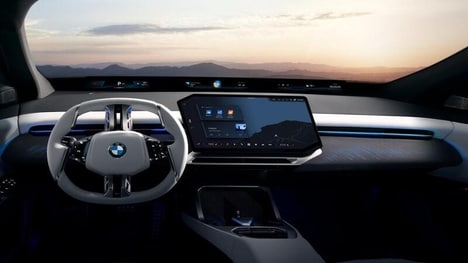
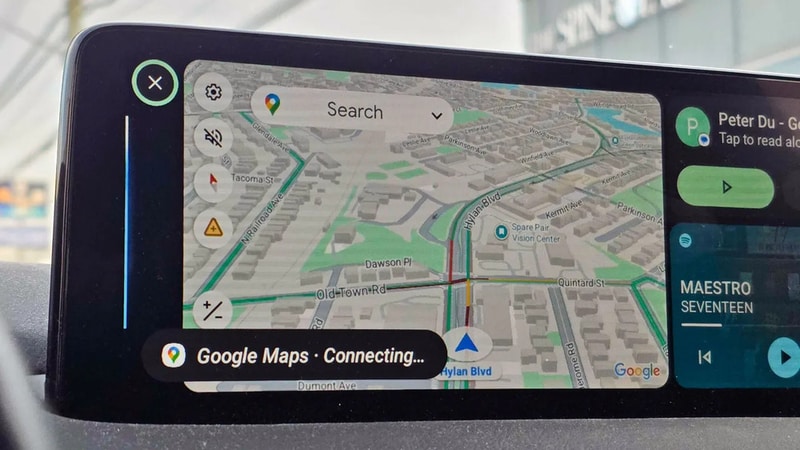
Android and Google introduced a Custom Assistant shortcut for Android Auto that lets drivers create one-tap voice automations, featuring compatibility with Google Assistant and Gemini. The shortcut appears in Android Auto settings under Customize launcher and can be added as an app icon that runs a preset Assistant command when tapped. Setup required only a few steps on the phone and the shortcuts are tied to the user’s Google account, making them available across vehicles that support Android Auto.
The feature supports automations like navigation, media playback, home control and messages, and it runs via the car display while driving. For consumers this simplifies repetitive driving tasks and extends smart-home control to the road, saving time and reducing distraction by replacing multi-step actions with single taps or simple voice phrases.
Image Credit: Kerry Wan/ZDNET
Key Themes Behind This Trend
- In-car Voice Automations
- Drivers are able to trigger complex, multi-step tasks like navigation and media control through single-tap or short-phrase voice commands, enabling hands-free workflows tied to the vehicle display.
- Cross-device Assistant Continuity
- Shortcuts synchronized to a user’s account provide consistent assistant behavior across multiple cars and phones, creating seamless continuity of personalized automations.
- One-tap Safety-focused Interfaces
- Simplified launcher icons and preset commands reduce in-vehicle distraction by consolidating frequent actions into minimal interactions with the car’s touch and voice surfaces.
Where This Applies
- Automotive Telematics
- Embedded systems and OEM software stacks can integrate account-linked assistant shortcuts to differentiate user experience through personalized, cloud-synced driving automations.
- Smart Home Ecosystem Providers
- Home automation platforms gain extended reach when vehicle-based shortcuts become control points for lighting, climate, security and media while users are in transit.
- Voice AI and Conversational Platforms
- Natural language models and assistant frameworks can be optimized for brief, context-aware car interactions that balance comprehension, latency and safety constraints.