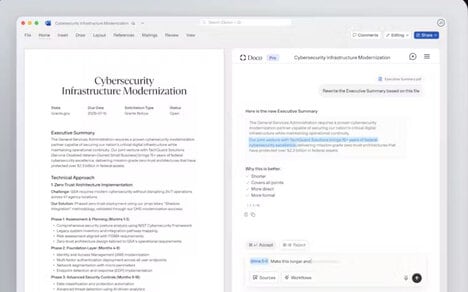


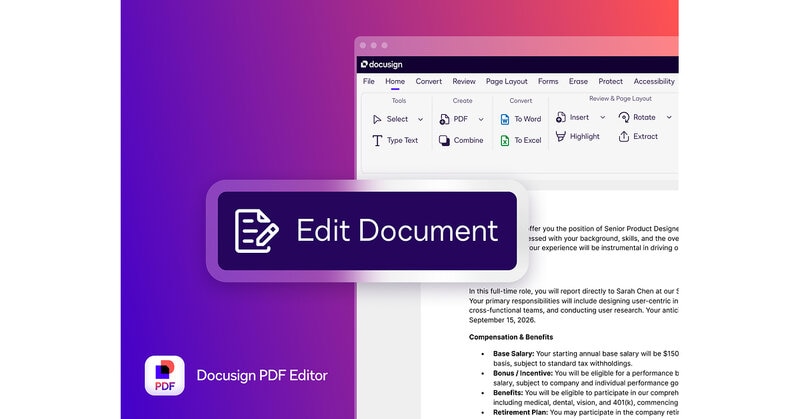
Docusign is adding built-in PDF editing with Docusign PDF Editor, a desktop app that lets legal, sales, procurement and HR teams change a contract and route it to signature without leaving the same system. That closes a gap in a process where over 70% of eSignature requests started in Docusign begin as PDFs, so fixes no longer need another program.
Users can rewrite text, move pages or hide sensitive details, then send the file straight into Docusign for signing. Because those edits stay tied to the same record, review handoffs get cleaner and the signed copy stays sealed against later changes.
Keeping editing, signing and AI analysis in one workflow can spare business teams extra uploads while Docusign also tracks renewals, answers contract questions and flags risk after signing.
Image Credit: Docusign
Key Themes Behind This Trend
- Embedded Document Editing
- Integrated PDF modification inside agreement platforms reduces tool-switching and creates room for more seamless contract lifecycle systems.
- Unified Agreement Workflows
- Combining editing, routing, signing and post-signature analysis in one environment signals a shift toward end-to-end operational control for business documents.
- AI-assisted Contract Management
- Risk flagging, renewal tracking and contract question answering add intelligence layers that can reshape how teams monitor obligations after signature.
Where This Applies
- Legal Technology
- Contract editing within signature platforms expands the role of legal software from document execution to continuous agreement governance.
- Enterprise Software
- Workflow consolidation across PDFs, approvals and analytics highlights opportunities for broader productivity suites to absorb specialized business processes.
- Human Resources Technology
- HR teams managing offer letters, policies and employee agreements benefit from sealed, editable workflows that improve compliance and reduce administrative friction.