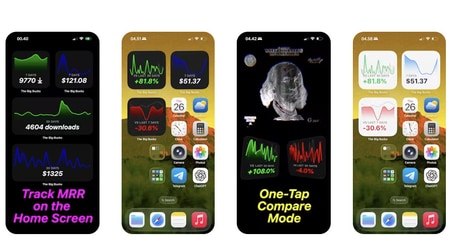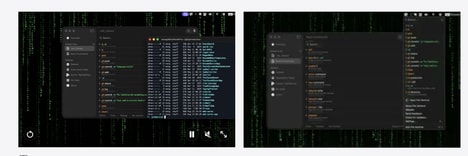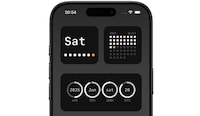
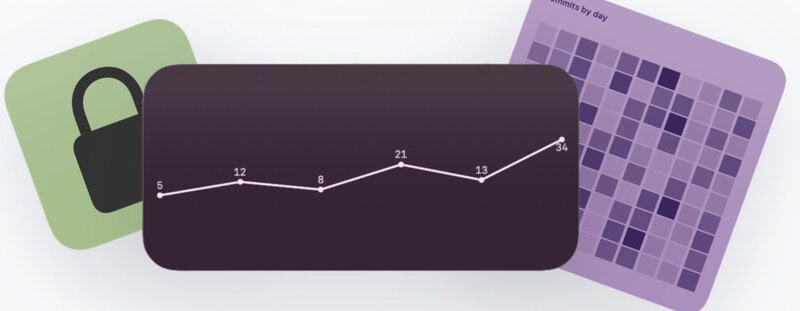
Monitoring scripts and command-line processes can mean repeatedly opening a terminal to check output, progress, or other information. TerminalWidget lets users display command output, progress indicators, sparklines, and images directly in customisable widgets on their desktop or home screen.
The app supports macOS, iOS, and iPadOS, giving users a way to keep important script information visible across Apple devices. Users can customise their widgets to show the specific outputs or visual information they want to monitor without keeping a terminal window open. This could be useful for developers, technical users, or anyone who regularly runs scripts and wants a quick way to check their status. The universal app is available through a one-time purchase rather than a recurring subscription, providing access across supported Apple devices.
Image Credit: TerminalWidget
What Makes This Trend Stand Out
- Ambient Devops Monitoring
- Persistent widget-based visibility transforms command-line feedback into glanceable status layers, creating space for lighter monitoring tools that sit outside full development environments.
- Cross-device Script Visibility
- Script outputs synchronized across desktop, tablet, and mobile interfaces point to a growing need for technical workflows that remain accessible across everyday devices.
- No-subscription Productivity Utilities
- One-time-purchase software for focused technical tasks highlights demand for durable niche tools that avoid recurring fees while still serving professional power users.
Sectors Adopting This
- Software Development
- Developers gain value from micro-interfaces that surface build progress, automation results, and system signals without requiring constant terminal interaction.
- Productivity Software
- The emergence of customizable information widgets expands productivity platforms beyond calendars and tasks into live, user-defined operational dashboards.
- Apple Ecosystem Apps
- Universal macOS, iOS, and iPadOS utilities reveal opportunities for specialized apps that turn Apple’s widget infrastructure into professional workflow surfaces.