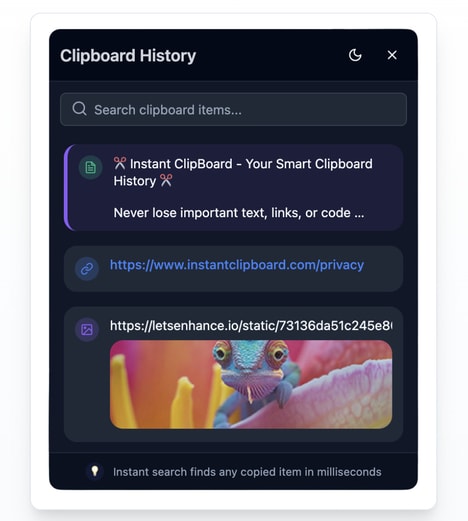


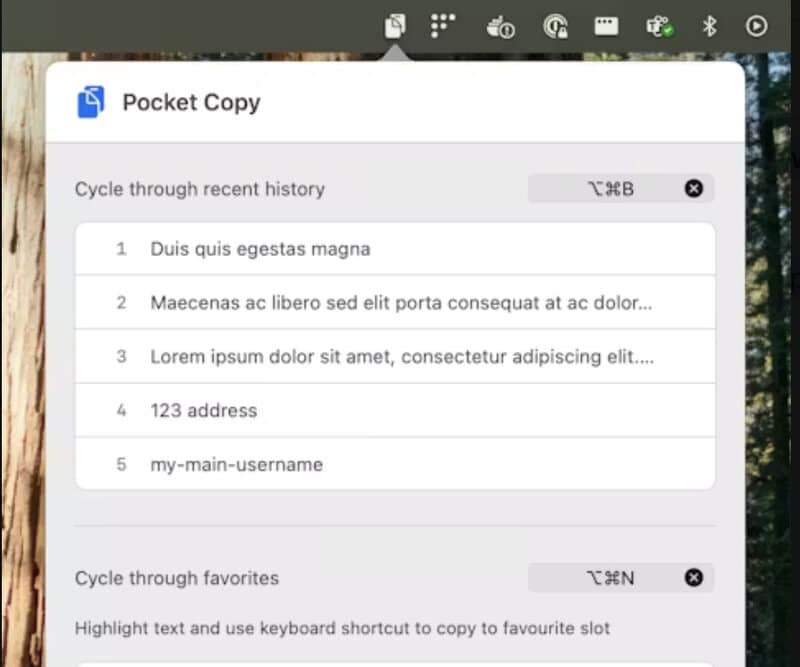
Managing copied information can become frustrating when you need to repeatedly switch between documents, apps, and notes. Pocket Copy is a minimal clipboard manager for macOS that keeps your most recent copied items easily accessible directly from the menu bar.
The app allows users to track their last five clipboard entries, save up to five favourites with keyboard shortcuts, and quickly access clipboard history using global hotkeys. Designed with simplicity and speed in mind, Pocket Copy provides a lightweight alternative to more complex productivity tools. Whether saving frequently used text, links, or snippets, the app helps users work more efficiently without adding unnecessary clutter. By keeping essential clipboard content close at hand, Pocket Copy creates a faster, cleaner workflow for Mac users who want better control over everyday copying tasks.
Image Credit: Pocket Copy
Key Themes Behind This Trend
- Lightweight Productivity Tools
- Minimal software utilities create openings for streamlined work solutions that reduce feature bloat while improving everyday digital task efficiency.
- Menu Bar Workflows
- Persistent menu bar access reflects growing demand for ambient productivity interfaces that keep essential functions available without disrupting focus.
- Hotkey-based Automation
- Keyboard-driven controls signal potential for faster micro-workflow optimization across repetitive tasks like text reuse, link sharing, and content organization.
Where This Applies
- Productivity Software
- Clipboard-focused applications expand the market for niche productivity products that solve specific workflow pain points with simple, low-friction design.
- Macos Applications
- Platform-specific utilities benefit from native interface conventions, creating space for compact tools tailored to Apple users' daily work habits.
- Workplace Collaboration
- Reusable snippets and saved content support more consistent communication practices, revealing opportunities around shared micro-assets in professional environments.