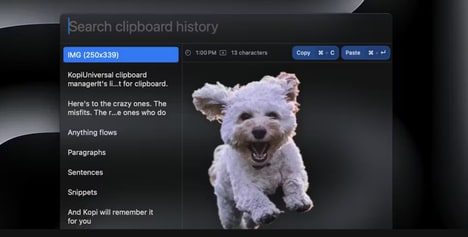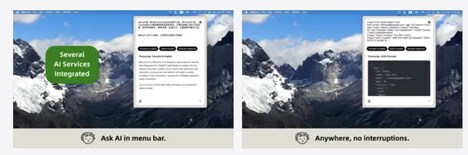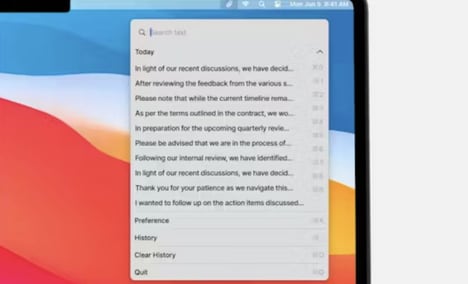
MenuCopy is a macOS clipboard manager designed to make recently copied content easier to access without disrupting workflow. Operating directly from the menu bar, it allows users to view and reuse copied text and images from a short clipboard history, reducing the need to repeatedly switch between applications.
The tool focuses on simplicity and speed, offering immediate visibility into recent clipboard activity while keeping data stored locally for privacy. From a business and productivity standpoint, MenuCopy addresses a common friction point in knowledge work, where frequent copying and pasting can slow execution. By centralizing clipboard access in a lightweight interface, it supports faster task completion and cleaner information handling. Its emphasis on local storage and minimal UI aligns with professional environments that prioritize efficiency, focus, and data control.
Image Credit: MenuCopy
Why This Trend Is Growing
- Local-first Privacy Tools
- A growing preference for locally stored user data is enabling lightweight apps that deliver functionality without cloud dependencies, reshaping trust and compliance expectations.
- Micro-workflow Utilities
- Small, focused utilities that remove repetitive friction points in daily tasks are increasing overall productivity by streamlining single-step actions like copying and pasting.
- Menu-bar Native Integrations
- Tiny, always-available menu-bar experiences are gaining traction as a means to surface contextual tools without interrupting users’ primary workflows.
Industries Being Reshaped
- Enterprise Productivity Software
- Demand for unobtrusive, privacy-conscious features in workplace tools is creating opportunities for products that enhance employee efficiency while meeting corporate data policies.
- Macos App Development
- macOS-focused developers can capitalize on platform-specific UX patterns and system integrations to build high-value, low-friction utilities that appeal to professional users.
- Knowledge Management and Collaboration
- Systems that centralize transient user content and make it easily retrievable are changing how teams capture, reuse, and maintain information continuity across tasks.