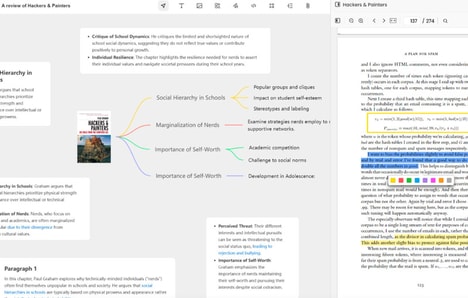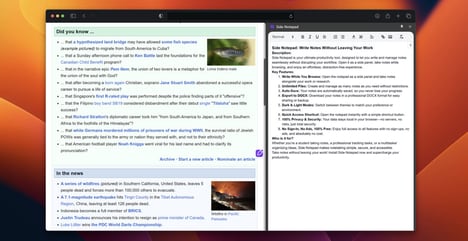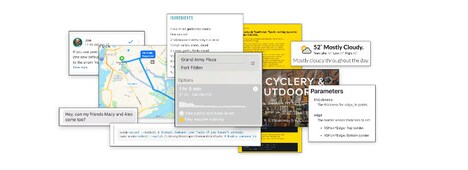
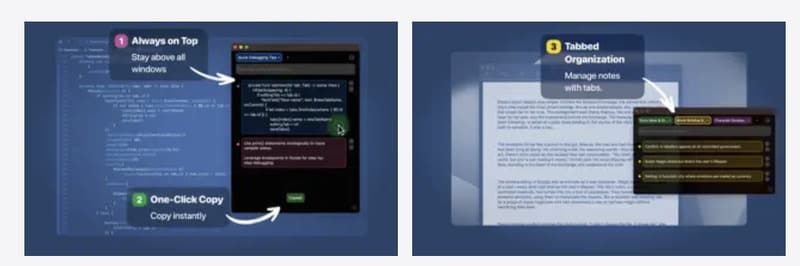
PeekNote is a lightweight macOS utility designed to keep text content continuously accessible while users work across multiple applications. It operates in an always-on-top window, allowing developers and multitaskers to store and reference code snippets, notes, and short task lists without switching contexts.
Content can be organized using color-coded tabs and blocks, supporting quick visual scanning and separation of information. From a business and productivity standpoint, PeekNote addresses workflow friction caused by frequent copy-paste actions and app switching. By centralizing transient information in a persistent interface, it supports faster task execution and reduced cognitive load. The tool is particularly relevant for technical roles, knowledge workers, and anyone managing parallel tasks who values minimal overhead and uninterrupted focus within the macOS environment.
Image Credit: PeekNote
Key Themes Behind This Trend
- Persistent Workspace Notes
- A continuously visible note surface that keeps transient information accessible across apps creates opportunities for interfaces that minimize context switching and streamline ephemeral knowledge reuse.
- Context-preserving Overlays
- Overlaid, always-on interfaces that preserve surrounding workspace context can enable ambient tooling that surfaces relevant code snippets and task cues without disrupting focused workflows.
- Color-coded Micro-organization
- Fine-grained visual grouping using color tabs and blocks supports rapid scanning and prioritization, enabling lightweight information architectures optimized for short-lived, task-specific content.
Where This Applies
- Software Development
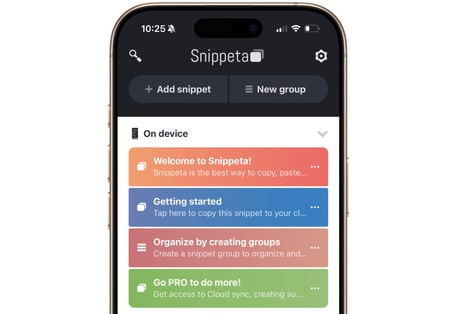
- Developer workflows could be transformed by persistent snippet surfaces that reduce reliance on separate clipboard managers and accelerate code reuse during debugging and pair programming.
- Knowledge Work Tools
- Tools for analysts and writers may evolve toward integrated, always-on note layers that bridge ephemeral ideas and longer-term knowledge bases within the same workspace.
- User Experience Productivity Tools
- System-level productivity utilities that offer unobtrusive overlays and quick visual organization present avenues for designing OS integrations that lower cognitive load for multitaskers.