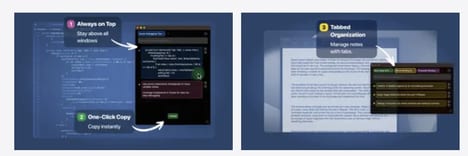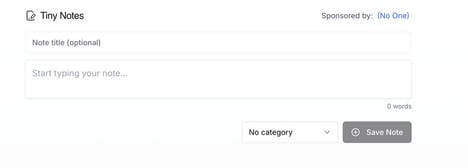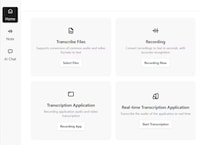
The Note Tool for Share Screens is a desktop productivity application designed to assist users during presentations, interviews, and full-screen screen-sharing sessions. It enables the display of private, see-through notes that remain visible only to the presenter while sharing their screen.
The tool can sync with presentation slides, including imports from PowerPoint, or allow users to create and manage custom notes directly within the application. By providing discreet access to structured talking points, it supports smoother delivery and reduces reliance on memorization or external reference materials. For professionals, educators, and business presenters, this type of tool can enhance communication clarity and confidence during live sessions. It reflects a broader trend in productivity software aimed at improving real-time performance through contextual, non-disruptive information delivery layered over existing workflows.
Image Credit: The Note Tool for Share Screens
Why This Trend Is Growing
- Augmented Presenter Overlays
- Presenter-facing translucent overlays that surface context-aware prompts and cues during live screen-sharing sessions enable more confident, consistent delivery without exposing notes to the audience.
- Slide-synced Private Notes
- Notes that link directly to individual slides and advance in sync with presentations create a seamless alignment between visual content and speaker guidance, reducing cognitive load during complex talks.
- Contextual Microprompts
- Micro-sized, contextually triggered prompts embedded in the presenter view provide just-in-time reminders and data points tailored to the current discussion point, enhancing accuracy under pressure.
Industries Being Reshaped
- Corporate Training
- Learning programs that incorporate presenter note tools can standardize facilitator messaging and improve knowledge transfer consistency across distributed instructor-led sessions.
- Virtual Conferencing Platforms
- Video conferencing providers integrating private note layers could differentiate offerings by optimizing presenter experience and reducing rehearsal time for live online events.
- Educational Technology
- EdTech products embedding synchronized presenter cues can support teachers in managing pacing and focus during remote or hybrid lessons, particularly for new or large-class instructors.