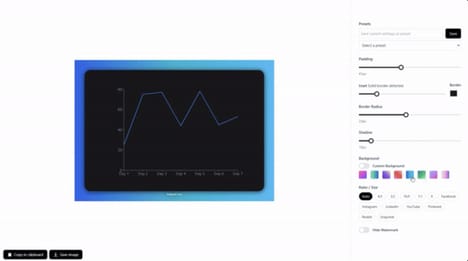
Blur It 5.0 is a browser extension designed to protect sensitive information during screen sharing, demos, or content creation. The tool allows users to quickly blur text, images, or selected areas on any page, providing a visual layer of privacy without modifying the underlying data.
From a business perspective, this functionality can reduce the risk of accidental exposure of confidential client information or internal materials, streamline the creation of anonymized screenshots, and improve efficiency for professionals, agencies, and content creators. Its interface emphasizes speed and simplicity, allowing users to apply and remove blurs in real-time. By removing the need for manual editing or developer tools, Blur It 5.0 reflects an increasing focus on secure, user-friendly tools that support safe collaboration and information sharing in professional environments.
Image Credit: Blur It 5.0
What Makes This Trend Stand Out
- Real-time Privacy Overlays
- Emerging demand for on-screen obfuscation during live presentations points to solutions that allow workflows to be visible while keeping sensitive elements visually protected, reducing inadvertent data exposure.
- Non-destructive Data Masking
- A move toward visual redaction that preserves underlying data integrity signals opportunities for tools that separate presentation-layer privacy from stored information to simplify auditing and reversal.
- Seamless Screen Anonymization
- Growing preference for one-click, reversible anonymization highlights possibilities for user-friendly interfaces that integrate privacy controls into everyday collaboration without interrupting demonstrations.
Sectors Adopting This
- Legal Services
- Law firms frequently handling confidential documents could benefit from presentation-level masking that enables client-focused demos without risking privileged information exposure.
- Healthcare
- Clinical teams and medical researchers sharing case materials may find value in tools that visually anonymize patient data while maintaining original records for compliance and review.
- Software Development
- Development and QA teams showcasing in-progress features stand to gain from integrated blurring capabilities that protect API keys, credentials, and client data during live demos and recordings.