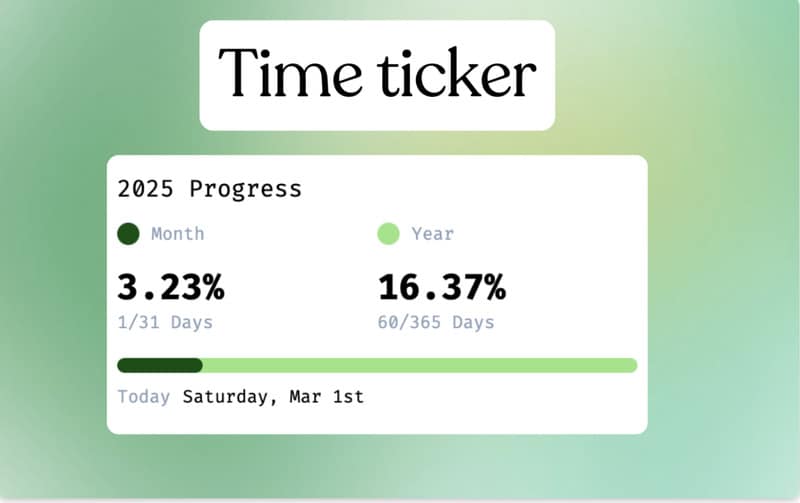
Time Ticker is a browser extension designed to provide users with a minimalist visualization of time passing throughout the day, month, and year. By offering a simple and intuitive display, it helps users track progress at a glance, supporting productivity and intentional time management.
The extension’s design emphasizes clarity and minimal distraction, making it suitable for professionals who want to monitor deadlines, milestones, or personal goals without intrusive notifications. From a business perspective, tools like Time Ticker align with trends in micro-productivity and behavioral design, which aim to improve focus and self-awareness through subtle cues. By providing a visual representation of elapsed and remaining time, it encourages users to prioritize tasks, reflect on progress, and manage time more strategically across both professional and personal contexts.
Image Credit: Time Ticker Extension
Why This Trend Is Growing
- Micro-productivity Tools
- Harnessing micro-productivity tools enables users to stay focused and improve efficiency by breaking tasks into manageable parts, offering substantial advancements over traditional productivity models.
- Behavioral Design Interfaces
- Interfaces designed with behavioral design principles subtly promote better decision-making and heightened self-awareness without overwhelming the user.
- Minimalist Visualizations
- By focusing on clarity and essential information, minimalist visualizations help users process information quickly, enhancing decision-making efficiency.
Industries Being Reshaped
- Productivity Software
- The productivity software industry benefits from tools that promote intentional time management through innovative design tailored to user behavior.
- Personal Development Apps
- Emerging personal development apps utilize progress tracking and visual cues to motivate users to achieve personal milestones and goals.
- Workplace Technologies
- Incorporating progress tracking extensions into workplace technologies may revolutionize how professionals observe and optimize their time use.