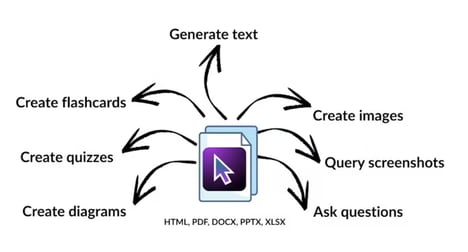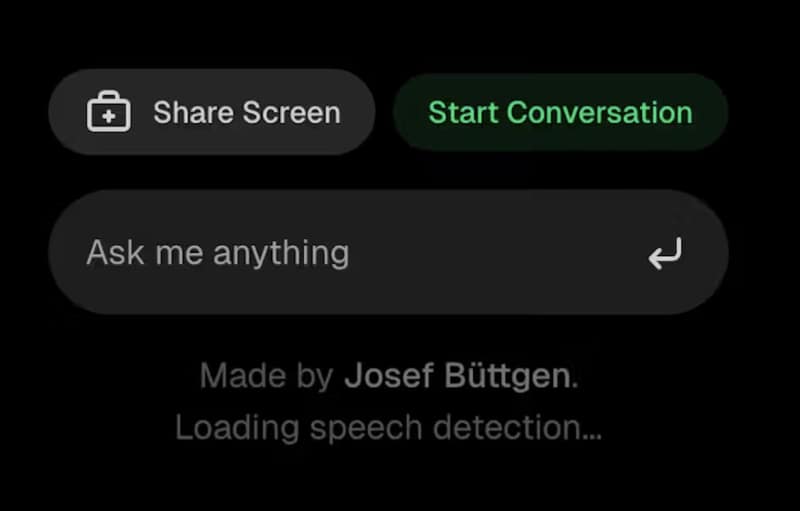
Talk To Your Computer is a voice-powered AI assistant that can see and understand everything displayed on your screen while you speak naturally. Instead of switching between windows or typing prompts, users can simply share their screen and ask questions in real time.
The platform is designed for hands-free interaction, allowing users to receive contextual assistance based on what the AI is actively viewing. Whether reviewing documents, navigating software, debugging code, or explaining on-screen content, the assistant responds with relevant, screen-aware guidance.
By combining screen sharing with conversational AI, the experience feels more like collaborating with a knowledgeable colleague than interacting with a traditional chatbot. The interface minimizes friction, enabling users to stay focused on their work without interrupting their workflow. Talk To Your Computer reimagines desktop assistance by making AI a real-time, voice-first collaborator that understands visual context as well as conversation.
Image Credit: Talk To Your Computer
Key Themes Behind This Trend
- Voice-first Workflows
- Natural speech interfaces are reducing dependence on typing and menu navigation, creating room for enterprise tools that support faster hands-free productivity.
- Screen-aware AI
- Contextual assistants that interpret visible desktop activity are reshaping software support, knowledge work, and real-time decision-making across complex digital tasks.
- Collaborative Desktop Agents
- AI systems that behave like always-available coworkers are opening new possibilities for workflow automation, software training, and task-specific guidance.
Where This Applies
- Enterprise Software
- Business platforms can become more adaptive through embedded assistants that understand user screens, workflows, and intent without requiring manual prompt construction.
- Information Technology
- Technical support and developer operations are being transformed by AI that can observe errors, documentation, code, and system interfaces in real time.
- Productivity Technology
- Workplace applications gain new value when voice interaction and visual context combine to remove friction from document review, research, and daily task management.