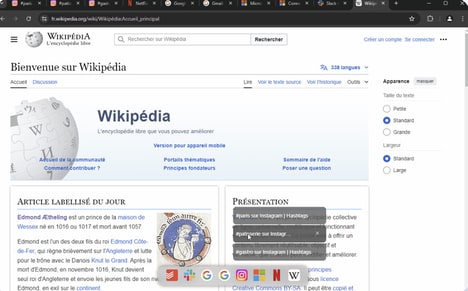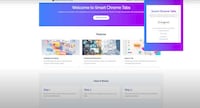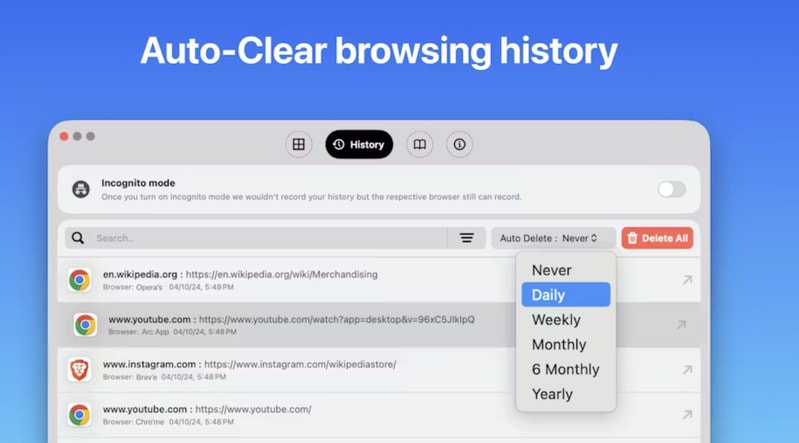
Browsly is a browser-switching utility designed to give users greater control over how web links are opened. Instead of defaulting to a single browser, it allows links to be routed to Chrome, Safari, Firefox, or other installed browsers through a lightweight selection interface.
A key feature is its floating window, which presents browser choices at the moment a link is opened, reducing friction for users who rely on multiple browsers for different tasks. From a business and productivity perspective, this can support workflows that require testing, cross-browser compatibility checks, or separation between personal and work browsing contexts. Browsly integrates into existing systems without altering how links are created, positioning it as an efficiency-focused tool for professionals who value flexibility, speed, and control in their daily web usage.
Image Credit: Browsly
Key Themes Behind This Trend
- Cross-browser Compatibility Tools
- The growing need for tools like Browsly highlights a shift towards seamless cross-browser compatibility solutions, catering to developers and testers who require quick browser-switching capabilities.
- Workflow Optimization Software
- The emergence of tools that streamline multi-browser workflows underscores an industry trend towards software that optimizes productivity for users juggling diverse digital environments.
- Personalized Web Experience
- Increasing demand for personalized web experiences drives innovation in tools that offer users choice and control over their online interactions, reflecting broader trends in user-centric technology design.
Where This Applies
- Productivity Software
- The productivity software industry is poised for transformation as innovative solutions such as browser switching tools rise to meet the needs of professionals seeking greater efficiency and workflow customization.
- Web Development
- Web development is increasingly leveraging browser-switching utilities to facilitate easier cross-browser testing and compatibility assurance, marking a shift towards more flexible development environments.
- User Experience Design
- User experience design is evolving to prioritize customizable interactions, as evidenced by new tools that allow individuals to tailor their web browsing processes to their specific needs.