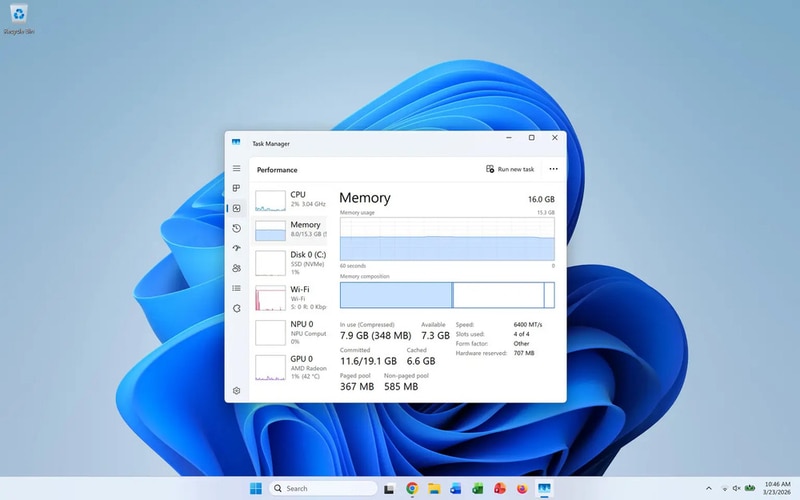
Microsoft launched a comprehensive performance overhaul for Windows 11, delivering system-level changes designed to reduce RAM use and produce a smoother user interface. The update targets core areas of the OS, featuring improved memory management and optimizations meant to speed common workflows like app switching and background task handling.
The rollout included faster File Explorer responsiveness and refinements to windowing and animation behaviors, implemented through kernel and scheduler tweaks rather than a visual redesign. Microsoft also adjusted resource allocation logic so foreground apps receive priority and background tasks consume less idle memory, strengthening everyday responsiveness.
For users, the changes mean snappier multitasking, reduced memory pressure on constrained devices and longer battery life for laptops via leaner background processes. As system efficiency becomes a mainstream expectation, this Windows 11 refresh underscores a broader trend toward performance-first OS updates.
Image Credit: Dade Murphy
Why This Trend Is Growing
- Performance-first Operating Systems
- Operating systems prioritized for low RAM usage and foreground responsiveness create room for lightweight platform variants that deliver premium UX on entry-level hardware.
- Adaptive Resource Scheduling
- Dynamic scheduler and kernel optimizations that favor foreground apps enable new middleware that intelligently brokers CPU and memory across local and remote workloads.
- Background Process Minimization
- Lean background task handling and tightened idle memory footprints open opportunities for ultra-efficient multitasking models tailored to battery-sensitive devices.
Industries Being Reshaped
- Consumer PC Manufacturers
- Lower baseline memory demands shift device differentiation toward thinner designs and longer battery life in affordable laptops and tablets.
- Enterprise IT and Endpoint Management
- Improved OS-level resource control influences large-scale deployment strategies and the development of management tools that emphasize performance SLAs for client fleets.
- Semiconductor and Chip Design
- Kernel and scheduler changes that alter workload patterns create demand for processors optimized for responsiveness per watt and specialized memory hierarchies.