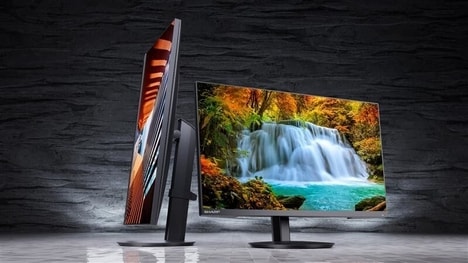
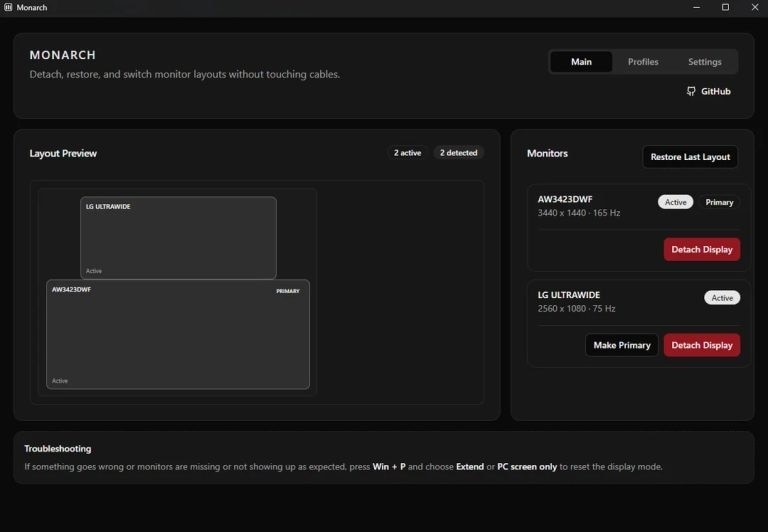
Monarch is a free, community-built Windows utility that lets multi-monitor users push individual displays into standby by stopping the video signal, developed to address Windows' lack of per-monitor targeting. The app was first shared on Reddit and surfaced via VideoCardz, featuring profile saving so bespoke display arrangements can be stored and recalled.
The tool provides design safeguards including a confirmation timer and a hard block to prevent turning off the last active screen, and recent updates added global hotkeys for instant profile switching and detaching displays without opening the interface. The developer has noted HDR controls are on the roadmap but pose challenges because Windows applies HDR color profiles differently.
For power users and gamers juggling three or more screens, Monarch removes the need to use physical power buttons or dig through Display Settings, speeding workflows and reducing distractions. Its lightweight, software-driven standby and profile system fills a practical gap that Microsoft has not yet solved for complex multi-display setups.
Image Credit: Monarch
Why This Trend Is Growing
- Per-monitor Power Control
- Fine-grained control over individual displays creates possibilities for hardware and software ecosystems that treat each monitor as a separately addressable device.
- Profile-based Display Management
- Saved display configurations enable contextual workspaces that change signal routing, color profiles, and input focus depending on user scenarios.
- Community-built Utility Ecosystems
- Grassroots developer tools filling OS feature gaps point to vibrant third-party ecosystems shaping core desktop functionality outside vendor roadmaps.
Industries Being Reshaped
- PC Hardware Manufacturing
- Monitor makers and GPU vendors can embed per-port control and signaling standards that allow vendors and software to toggle outputs independently for power savings and workflow flexibility.
- Enterprise IT Management
- Large-scale deployments could leverage per-display profiles to optimize energy consumption, multi-user kiosks, and secure session isolation across shared workstation clusters.
- Gaming and Esports
- Competitive and streaming setups benefit from instant display detachment and profile switching to minimize latency, manage overlays, and streamline multi-source broadcasts.