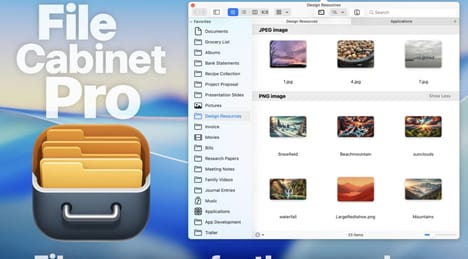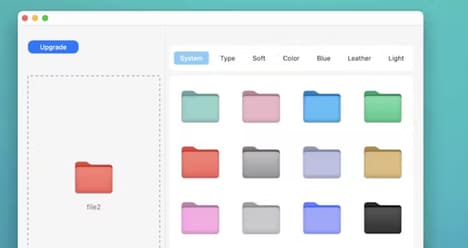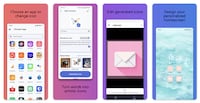


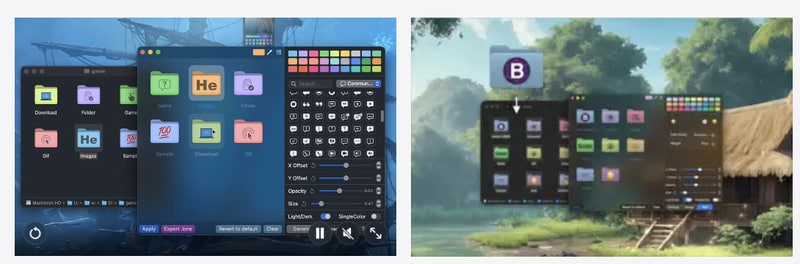
Organising files becomes easier when folders are visually distinct and simple to identify. Iconize Folder helps users personalise their digital workspace by allowing them to customise folder colours, icons, and text with ease. Instead of relying on standard folder designs, users can create a more organised system that reflects their preferences and improves navigation.
The tool makes it simple to highlight important folders, group files visually, and add personality to everyday file management. Whether creating a more efficient workflow or simply improving desktop aesthetics, Iconize Folder provides flexible options for making folders easier to recognise at a glance. By adding visual customisation to traditional file organisation, the tool helps users create a cleaner and more personalised digital environment. Iconize Folder offers a straightforward way to transform ordinary folders into customised organisational tools that better match individual workflows.
Image Credit: Iconize Folder
What Makes This Trend Stand Out
- Visual File Organisation
- Colour-coded icons and folder styling create room for productivity software that reduces cognitive load through glanceable digital navigation.
- Personalised Digital Workspaces
- Customisable interface elements signal demand for tools that adapt everyday computing environments to individual workflows and aesthetic preferences.
- Micro-productivity Tools
- Lightweight utilities focused on small workflow improvements reveal opportunities in niche software that enhances routine desktop tasks without complex onboarding.
Sectors Adopting This
- Productivity Software
- File management customisation expands the category beyond task tracking into visual systems that make digital organisation faster and more intuitive.
- User Interface Design
- Personal folder styling highlights the growing value of user-controlled visual cues in improving usability across operating systems and apps.
- Desktop Utilities
- Simple enhancement tools demonstrate how legacy desktop experiences can be refreshed with low-friction personalisation features that support daily efficiency.