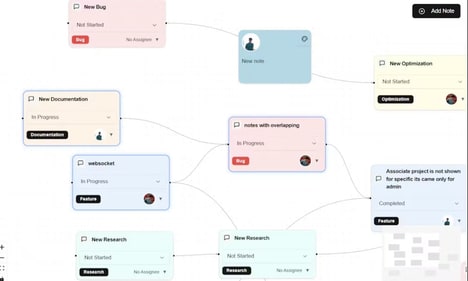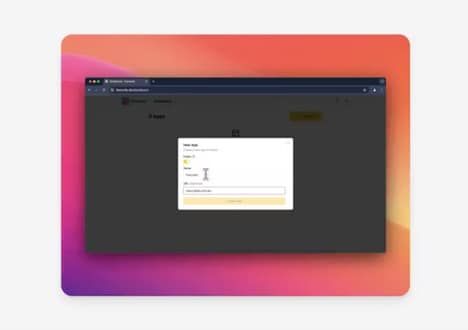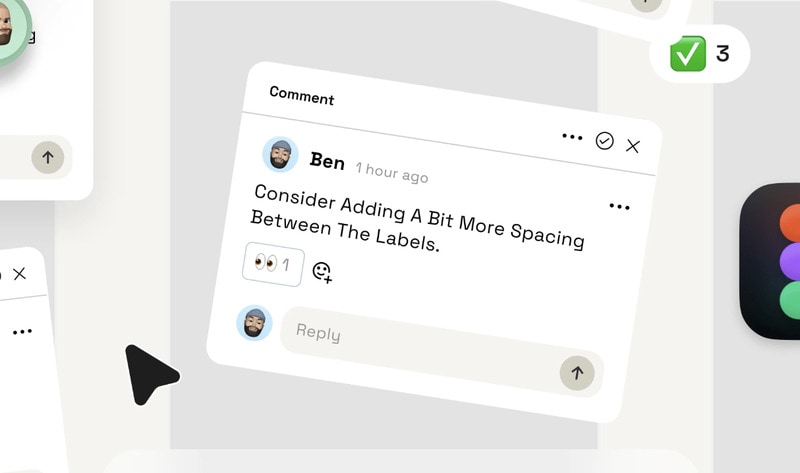
Figcoms is a workflow tool designed to help teams manage Figma comments more systematically. It converts in-canvas feedback into a Kanban-style view, allowing designers and stakeholders to track comment status and progress without manually searching through files.
Comments sync automatically, and each item can be marked with clear status indicators such as done, in review, or in progress. Users can also jump directly from Figcoms back to the exact comment location in Figma, reducing context switching. From a business perspective, Figcoms addresses a common collaboration bottleneck in design-heavy teams: unstructured feedback that slows delivery and creates misalignment. By externalizing comment management into a structured workflow, it supports clearer ownership, faster iteration cycles, and improved visibility across teams. The tool is positioned as a lightweight layer on top of existing design processes rather than a replacement for them.
Image Credit: Figcoms
Key Themes Behind This Trend
- Kanban-style Design Tools
- Kanban-style views for design feedback streamline collaborative workflows by offering a visual approach to managing tasks and comments.
- Automated Feedback Syncing
- Automated synchronization of design comments allows for real-time updates and reduces the lag typically associated with manual feedback collection.
- Contextual Navigation Enhancements
- Tools that enable direct navigation from feedback platforms to specific design comments reduce context-switching, effectively saving time and increasing productivity in design review processes.
Where This Applies
- Design Collaboration Platforms
- Platforms focusing on streamlined design collaboration are revolutionizing how teams work together by providing organized feedback systems that enhance creativity and efficiency.
- Project Management Software
- Project management software that incorporates Kanban methodologies for specific design tasks augments traditional workflows with more intuitive tracking and communication features.
- Saas Workflow Solutions
- SaaS solutions that integrate with existing design tools are paving the way for specialized workflows that cater to niche areas, such as design feedback and review processes.