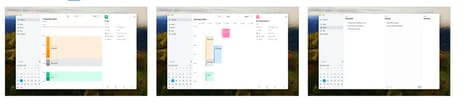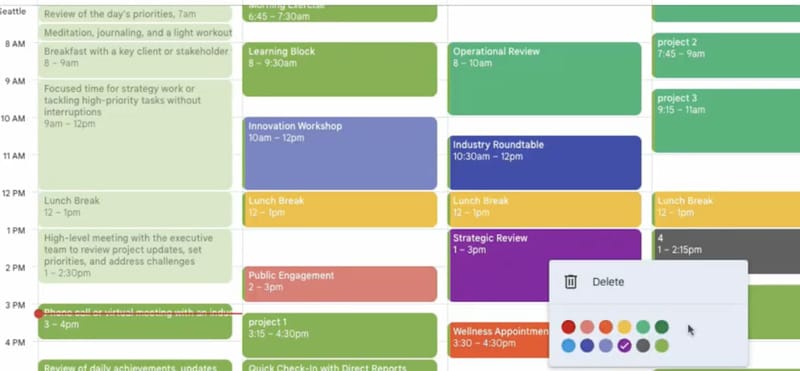
The Calendar Color Chrome Extension enhances Google Calendar by introducing customizable colors and event categories, offering users greater visual control over their scheduling. Designed for professionals and individuals managing complex calendars, this extension supports more efficient time blocking, project tracking, and organization.
Users can assign distinct colors to different task types or priorities, enabling quick visual scanning and improved calendar clarity. The tool integrates directly with the existing Google Calendar interface, making adoption seamless without disrupting established workflows. For teams or solo users handling multiple projects or responsibilities, this extension provides a lightweight yet effective way to categorize time and tasks. Its value lies in its simplicity and ability to reduce context-switching, a key factor in productivity and time management strategies.
Image Credit: Calendar Color
Why This Trend Is Growing
- Customizable Digital Tools
- The growing demand for individualized digital solutions is further amplified by tools providing customizable interfaces like color-coded event identifiers.
- Visual Task Management
- Color-coded scheduling aids present a novel approach to enhancing visual task organization and clarity, especially valuable for those managing multifaceted schedules.
- Integrated Workflow Solutions
- Seamlessly integrating enhancements directly into existing platforms, such as Google Calendar, highlights a shift towards minimizing disruption in productivity tools.
Industries Being Reshaped
- Productivity Software
- Innovations in productivity software are focusing on enhancing user experience with new features that provide customization and integration in familiar platforms.
- Personal Information Management
- The personal information management industry shows significant potential for growth by offering advanced categorization and scheduling capabilities through enhancements like color-coded calendars.
- Workflow Automation
- Workflow automation industries are increasingly incorporating visual aids and customizable elements to streamline processes and reduce the friction of context-switching for users.